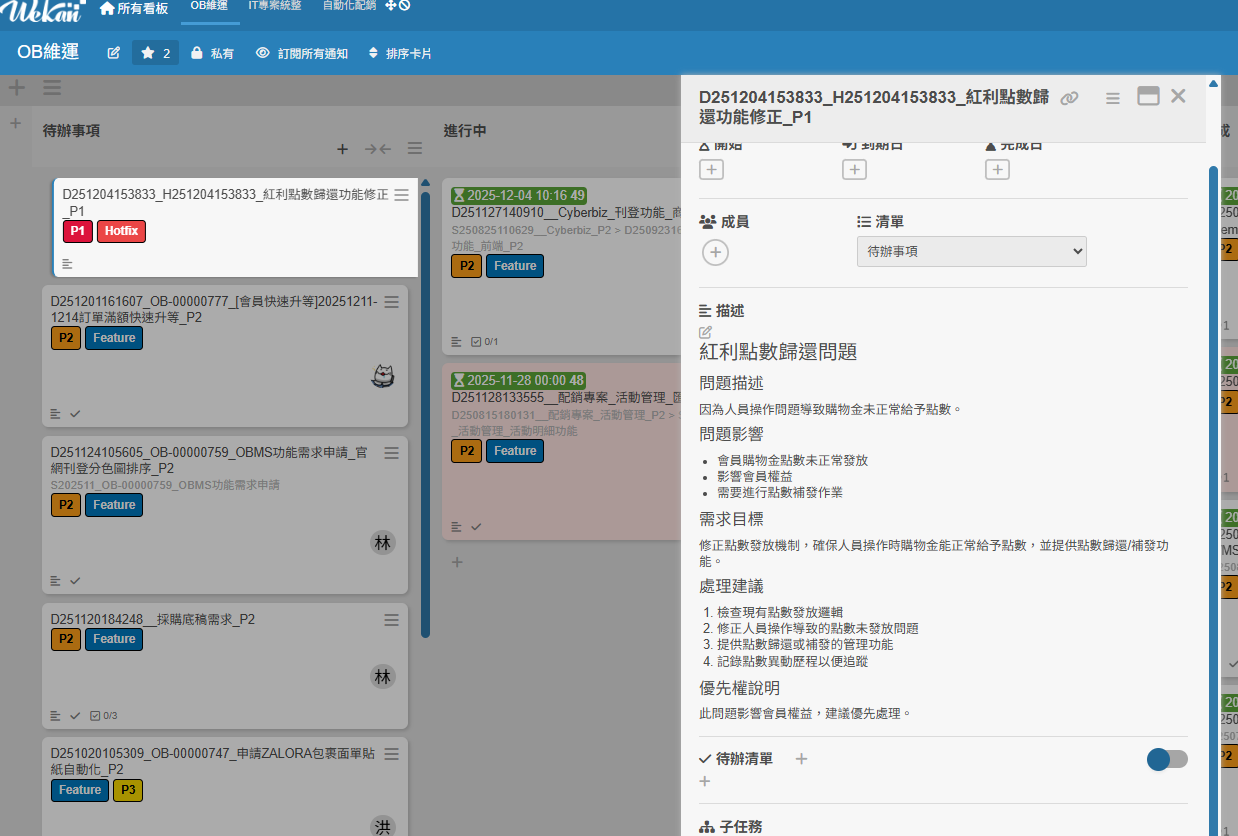
Github-Copilot-cli建立需求單
使用技術
- n8n伺服器與設定MCP
- 建立workflow(這邊以CreateRDIssue為例子)
- 啟動mcp server
- Github Copilot cli
- mcp 註冊
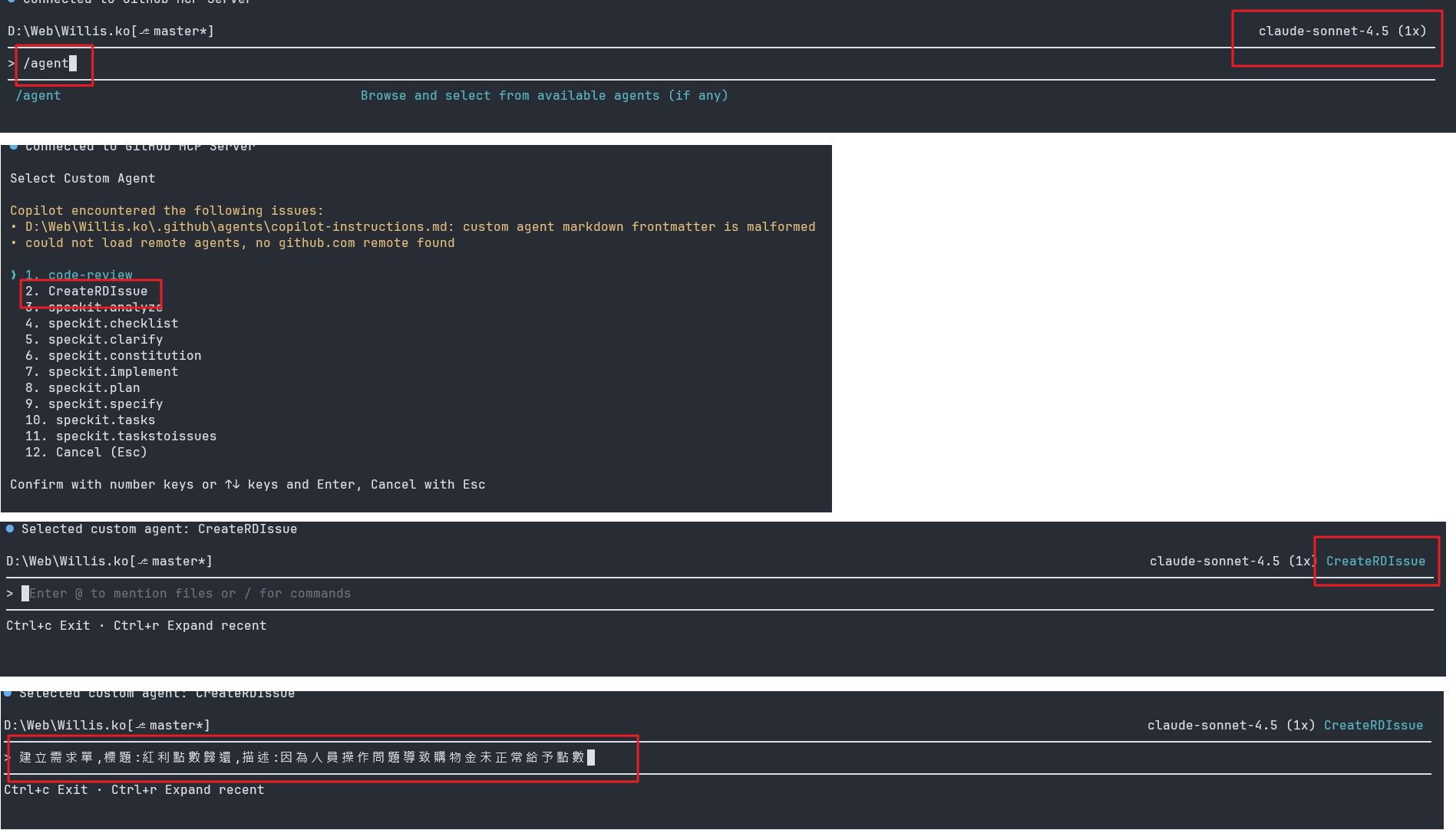
- agent 設定
流程圖
graph TB
    A[createrdissue.agents.md] -->|定義工具: n8n-mcp/*, edit, githubRepo| B[mcp-config.json]
    B -->|設定 n8n-mcp 伺服器| C[n8n MCP: Create-RD-Issue]
    C -->|觸發 n8n 工作流,自動建立 RD Issue| D[完成需求建立]
n8n設定方法MCP
n8n新版已經提供worlfow轉變成mcp的功能,詳情可以查看文件,這邊不做贅述
Github Copilot CLI Agents設定方法
以下方法擇一
- 專案資料夾:
.github/agents/createrdissue.agents.md - 使用者設定目錄:
C:\Users\users\AppData\Roaming\Code\User\prompts
使用者設定就可以長期使用,專案就只有在專案底下執行才有效(自行評估狀況,以建立需求是長期工具,我會建議放置使用者資料夾)
重點
當 Copilot 已指定 Agents 時,可用的 tools 將以 agents 檔案中的定義為主,即使使用 --allow-all-tools 也不會生效。
---
description: '執行 n8n 工作流以處理 RD 需求。'
tools:
 ['edit', 'runNotebooks', 'search', 'new', 'runCommands', 'runTasks', 'n8n-mcp/*', 'usages', 'vscodeAPI', 'problems', 'changes', 'testFailure', 'openSimpleBrowser', 'fetch', 'githubRepo', 'extensions', 'todos', 'runSubagent', 'runTests']
---
執行 n8n 工作流,工作流名稱: Create-RD-Issue(obrd),參數:
觸發器名稱: n8n Form Trigger

優先權: [P1,P2,P3,P4]
需求編號: ['D'+yyMMddhhmmss]
專案代號: project12345
分類: [XX,XXX,ERP,WMS,POS,微調,其它]
需求類型: [Bug,Feature,Story,Project]
需求內容: [AI 整理使用者需求後提供的簡略 Title (限制 20 字以內)]
提出人員: [行銷,會員,業務,客服,RD,數據,門市]
提出日期: [當天日期]
Description: [AI 整理使用者需求內容,並補充完整,切勿省略使用者提供的資訊]
GitHub Copilot CLI MCP 設定方法
-
以下 token 為目前正式機使用,可直接套用(2025/12/04 更新)
-
檔案路徑:
C:\Users\shengwei\.copilot\mcp-config.json
{
  "mcpServers": {
    "n8n-mcp": {
      "type": "http",
      "url": "https://n8n.domain.com.tw/mcp-server/http",
      "headers": {
        "Authorization": "Bearer <Token>"
      },
      "tools": [
        "*"
      ]
    }
  }
}
實際範例截圖
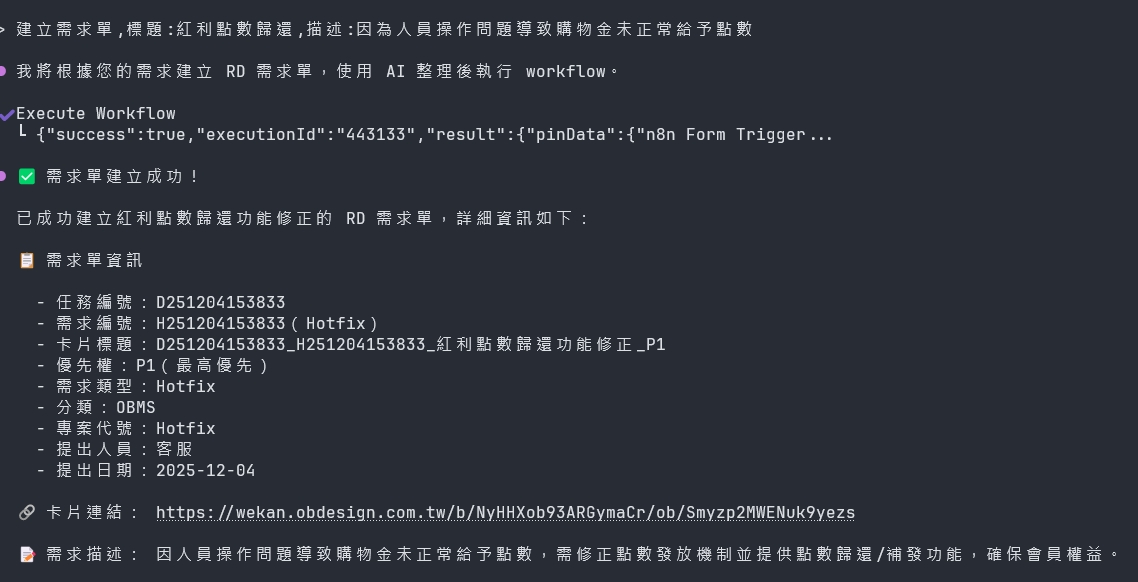
Wekan順利建立成功